Record voice overs.
Skip the editing.
Press Space and talk. Every pause becomes its own clip, a fluffed line is one key away from gone, and ⌘E saves a clean MP3.
Coming soon to the Mac App Store · free · macOS 14 or later
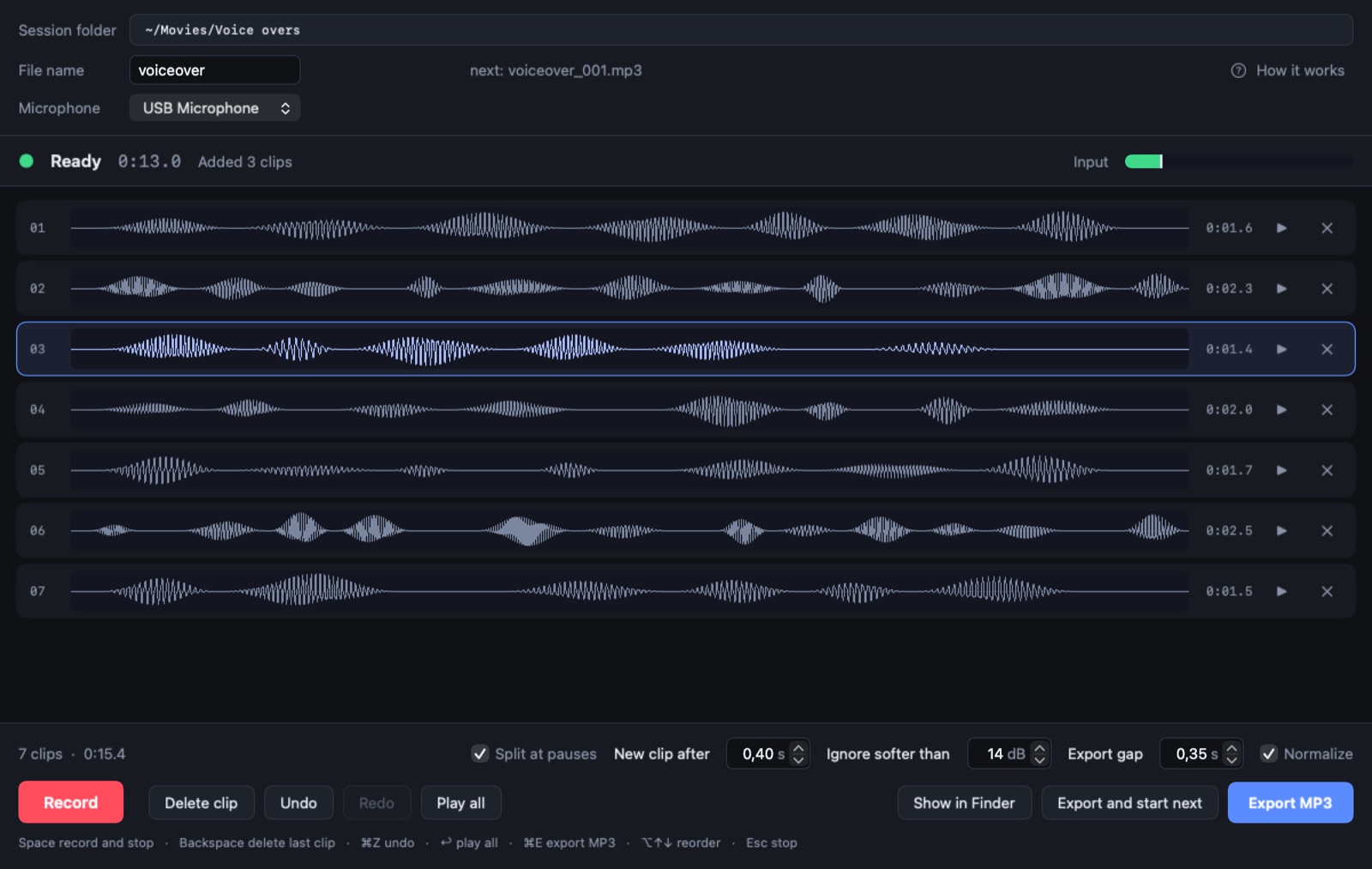
The whole loop is four keys.
- Space
Talk
Leave a beat after pressing, then read your script. Press Space again when you stop.
- ⌫
Fluffed it?
Backspace drops the last clip, or the one you selected. Press it again to keep going back.
- ↩
Listen
Return plays every clip with an even gap between them, exactly as the export will sound.
- ⌘E
Export
Saves a normalized, numbered MP3 in your session folder. Nothing is ever overwritten.
It cuts at your pauses
Each take is split where you stop talking, with the silence trimmed and a sliver of padding kept so no word is clipped.
The key click never ends up in a clip
The moments around each press of the record key are left out automatically.
Breaths stay out
Sounds far softer than your speech, like breaths and lip smacks, are dropped instead of becoming clips.
Everything can be undone
⌘Z goes all the way back, recording included.
Nothing is lost
Every take is also saved untouched in a "raw takes" folder next to your exports.
Nothing leaves your Mac
No account, no tracking, no network connections. Your recordings stay in the folder you choose. Privacy policy